pyvista.Prop3D.rotate_x#
- Prop3D.rotate_x(angle: float)[source]#
Rotate the entity about the x axis.
- Parameters:
- angle
float Angle to rotate the entity about the x axis in degrees.
- angle
Examples
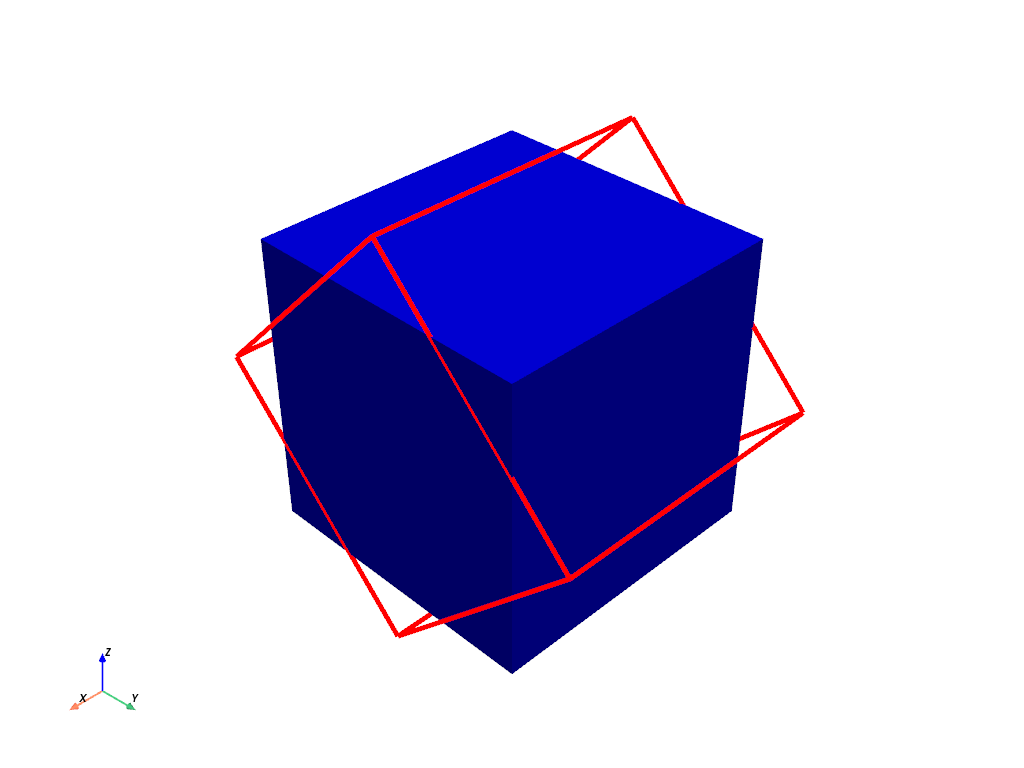
Rotate the actor about the x axis 45 degrees. Note how this does not change the location of the underlying dataset.
>>> import pyvista as pv
>>> mesh = pv.Cube()
>>> pl = pv.Plotter()
>>> _ = pl.add_mesh(mesh, color='b')
>>> actor = pl.add_mesh(
...     mesh,
...     color='r',
...     style='wireframe',
...     line_width=5,
...     lighting=False,
... )
>>> actor.rotate_x(45)
>>> pl.show_axes()
>>> pl.show()